
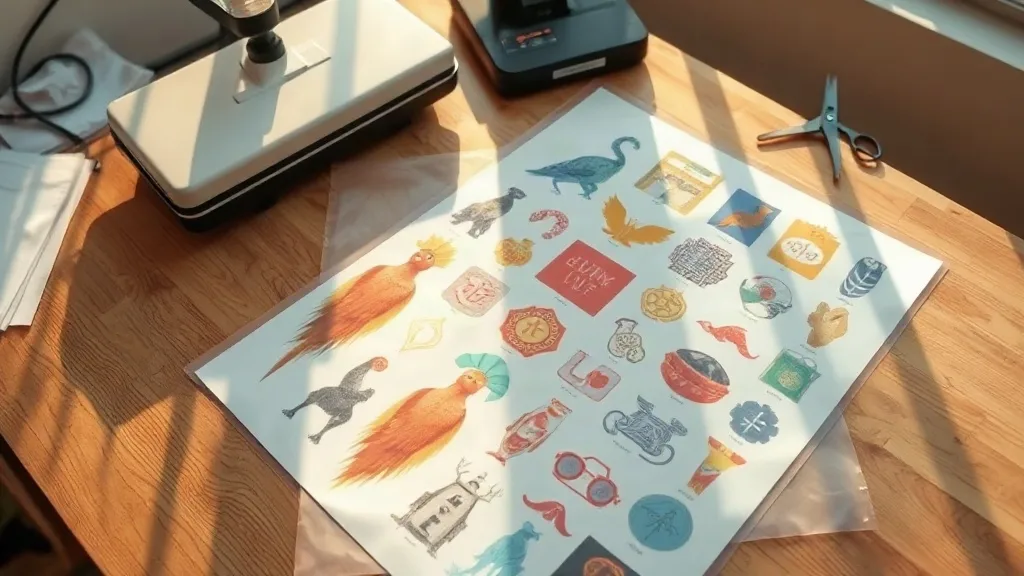
If you run a small print shop or sell custom apparel online, you already know the pain of ordering transfers one design at a time. Each file, each size, each colorway means another charge and another wait. A DTF Gangsheet solves that problem by letting you fill a single printed sheet with many designs at once, then cut them apart when the sheet arrives. It is one of the most practical ways to keep per-unit costs low without giving up print quality.
This guide walks through what a gangsheet actually is, how to prepare files that print cleanly, and the small decisions that separate a smooth order from a frustrating reprint.
What a DTF Gangsheet Actually Is
DTF stands for direct-to-film. A printer lays your artwork onto a special film in reverse, then applies a powder adhesive while the ink is still wet. The result is a transfer you can press onto cotton, polyester, blends, and even some nylon with a standard heat press. Because the film is printed first and pressed later, you are not limited to one fabric type or one color of garment.
A gangsheet takes that process and arranges multiple designs across a single large film. Instead of ordering ten separate transfers, you send one file with ten designs arranged to fill the space. The printer runs the sheet once, you pay for the sheet, and you cut out each design when it lands. The savings come from two places: you are not paying a setup fee per design, and you are using the film area efficiently instead of leaving large empty margins.
Most suppliers price gangsheets by the running foot or by the square inch of a fixed-width roll, often somewhere between 13 and 24 inches wide. That means the width is fixed and you buy length. Your job is to pack that length as tightly as possible with the designs you actually need.
Why Shops Choose Gangsheets Over Single Transfers
The economics are the obvious draw, but experienced shops point to a few other advantages that matter just as much.
- One order covers a whole drop. A seasonal collection with twelve designs can go on one sheet instead of twelve line items.
- Consistent color and finish. Everything on the sheet runs through the same printer, same ink batch, same powder. Your reds match across the whole run.
- Simpler inventory. You store one rolled sheet instead of dozens of individual transfer bags.
- Faster restocks. Reordering is a matter of resubmitting the same file, not rebuilding a dozen separate orders.
There is a catch worth naming early. Gangsheets reward planning. If you rush the layout, you waste film, and wasted film is wasted money. The rest of this article is about avoiding that.
Preparing Artwork That Prints Cleanly
Start with transparent PNG files
Every design should arrive as a PNG with a transparent background at 300 DPI at its final print size. A design that looks crisp on screen at 72 DPI will look soft on fabric. If you are scaling artwork up, check the pixel dimensions after resizing, not before.
Leave a cutting margin
DTF transfers need a small border of clear film around each design so you can trim cleanly and so the edges press down without curling. A gap of roughly 3 to 5 millimeters between designs is a reasonable default. Tighter than that and your scissors or cutter will nick the neighbor.
Mind the white ink
DTF prints a white layer under the color layer so the design shows up on dark garments. Very fine details, hairline strokes, and tiny text below about 6 points can fill in or break up in that white layer. If a design has delicate linework, test it on a small run before committing a full sheet.
Group similar sizes together
When you lay out the sheet, cluster designs by size and shape. Long left chest logos next to each other, full back prints next to each other. It looks tidy, but more importantly it reduces the awkward gaps that eat into your film.
How to Lay Out a Sheet Without Wasting Film
The layout stage is where the real money is made or lost. A few habits pay off immediately.
- Know your roll width. Confirm the exact printable width with your supplier before you design anything. Building a layout for 22 inches and discovering the printable area is 20 inches means a rebuild.
- Nest shapes. A circular logo can tuck partly into the empty corner of a rectangular design. Rotate and shift pieces to close gaps rather than leaving a grid of white space.
- Fill with repeats, not filler. If you have leftover space, add a design you will genuinely sell. Do not add art just to fill the sheet; that is a discount on something you did not need.
- Keep a running height count. Most suppliers bill by length. Track the total height of your layout so the quote does not surprise you.
- Save the layout file. Name it with the date and the collection. You will want it again next season.
A useful sanity check: print your layout at actual size on plain paper and lay real garment fronts on top of it. It sounds low-tech, but it catches size mistakes faster than any screen preview.
Pressing and Storing Your Transfers
Once the sheet arrives, cut designs apart with a small gap of film still attached, then store them flat or rolled loosely in a cool, dry place away from direct sun. Stacked transfers can pick up dust, and dust is the enemy of a clean press.
For pressing, the usual ranges that work across most DTF films are around 150 to 160 degrees Celsius for 10 to 15 seconds with medium to firm pressure, peeling either hot or cold depending on the film your supplier uses. Always follow the spec sheet that comes with your order rather than a generic number, because film chemistry varies between manufacturers. A second short press with a Teflon sheet or parchment over the design helps the adhesive settle into the fibers and improves wash durability.
Wash care matters too. Turn garments inside out, use cold water, and skip the dryer on high heat. Most transfer failures I have seen came from a hot dryer, not from a bad press.
Common Mistakes That Cost Real Money
The most frequent problem is submitting RGB files and expecting the printed color to match the screen. Convert to CMYK or ask your supplier which profile they prefer, and accept that some bright greens and neons will shift. The second most common issue is forgetting that the design prints mirrored. If your artwork contains text, confirm the file is set up correctly before it goes to press, because a mirrored slogan on a hundred shirts is an expensive lesson.
Finally, do not treat the first gangsheet as a final production run. Order a small test sheet with your most complex designs, press them onto the actual garments you plan to sell, and wash one. That single test tells you more than any specification sheet.
Frequently Asked Questions
How many designs fit on one DTF gangsheet?
There is no fixed number, because it depends on the size of each design and the width of the roll. A sheet filled with small left chest logos can hold dozens, while full back prints might only fit a handful. What matters is total area, so plan by square inches of film rather than by design count.
Can I mix different fabric types in the same order?
Yes. The transfers themselves are not tied to a fabric type at the printing stage. You can press the same sheet onto cotton tees, polyester hoodies, and canvas totes. Just test the press settings on each fabric, since heat sensitivity varies.
How long can I store unused DTF transfers?
Stored flat, dry, and out of sunlight, most transfers keep well for several months and often longer. Humidity is the main risk, so avoid damp basements and keep them in a sealed bag if your workspace is humid.
Do gangsheets work for very small orders?
They can, but the savings shrink. If you only need two or three transfers, a per-design order may be simpler. Gangsheets make the most sense once you have enough designs to fill a meaningful length of film.
What file format should I send?
Transparent PNG at 300 DPI is the safest default, with the layout arranged at final print size. Some suppliers accept PDF or TIFF as well, so check their upload requirements before building the file.